![Nimbus-BlackLogoOnly-(1).png]](https://help.nimbushealthcare.com/hs-fs/hubfs/Nimbus-BlackLogoOnly-(1).png?height=40&name=Nimbus-BlackLogoOnly-(1).png)
If you'd like to update your payment method, please follow the below 3 steps.
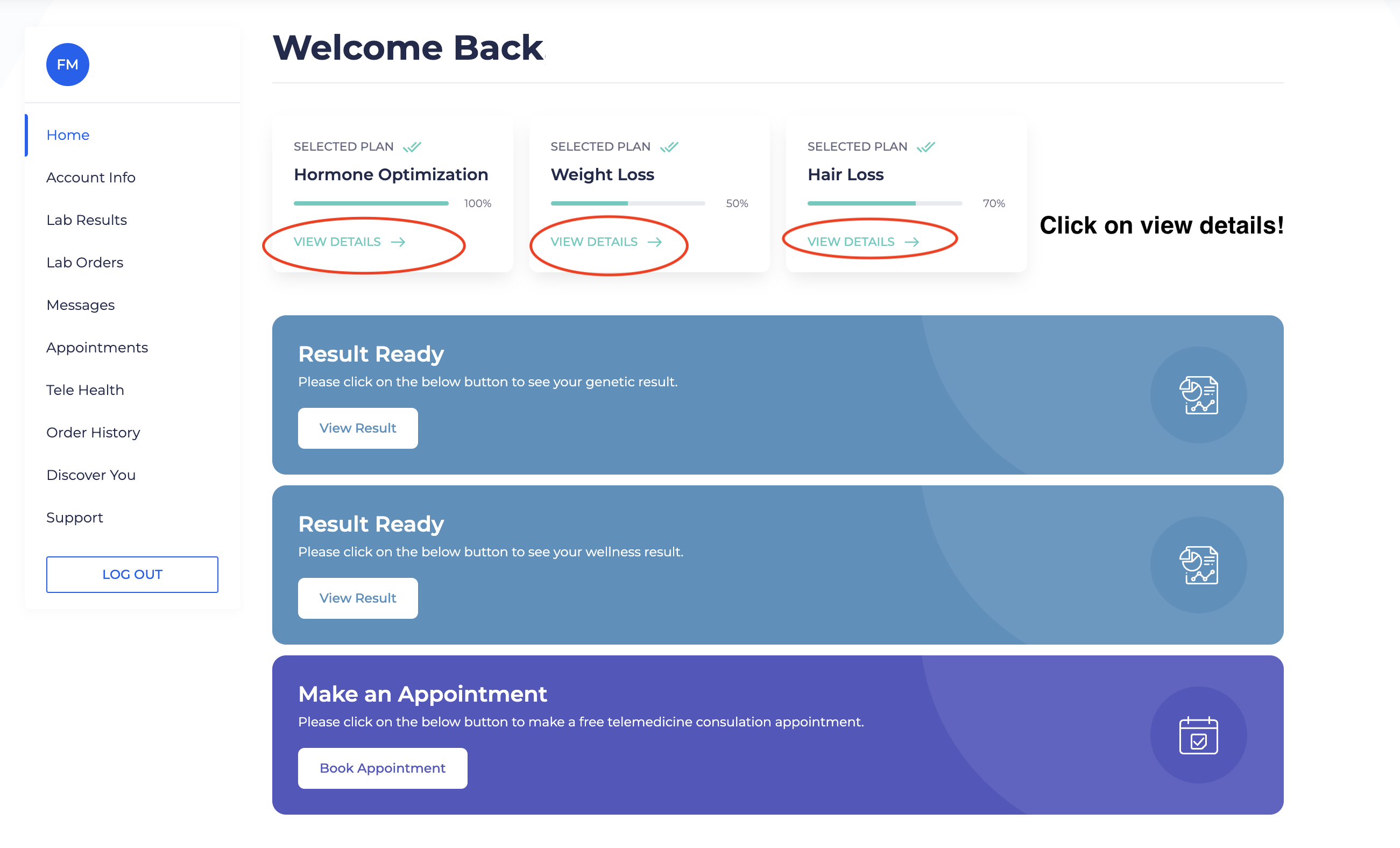
Step 1) Log into your patient portal and select your program (this could be hormone optimization, weight loss, or hair loss)
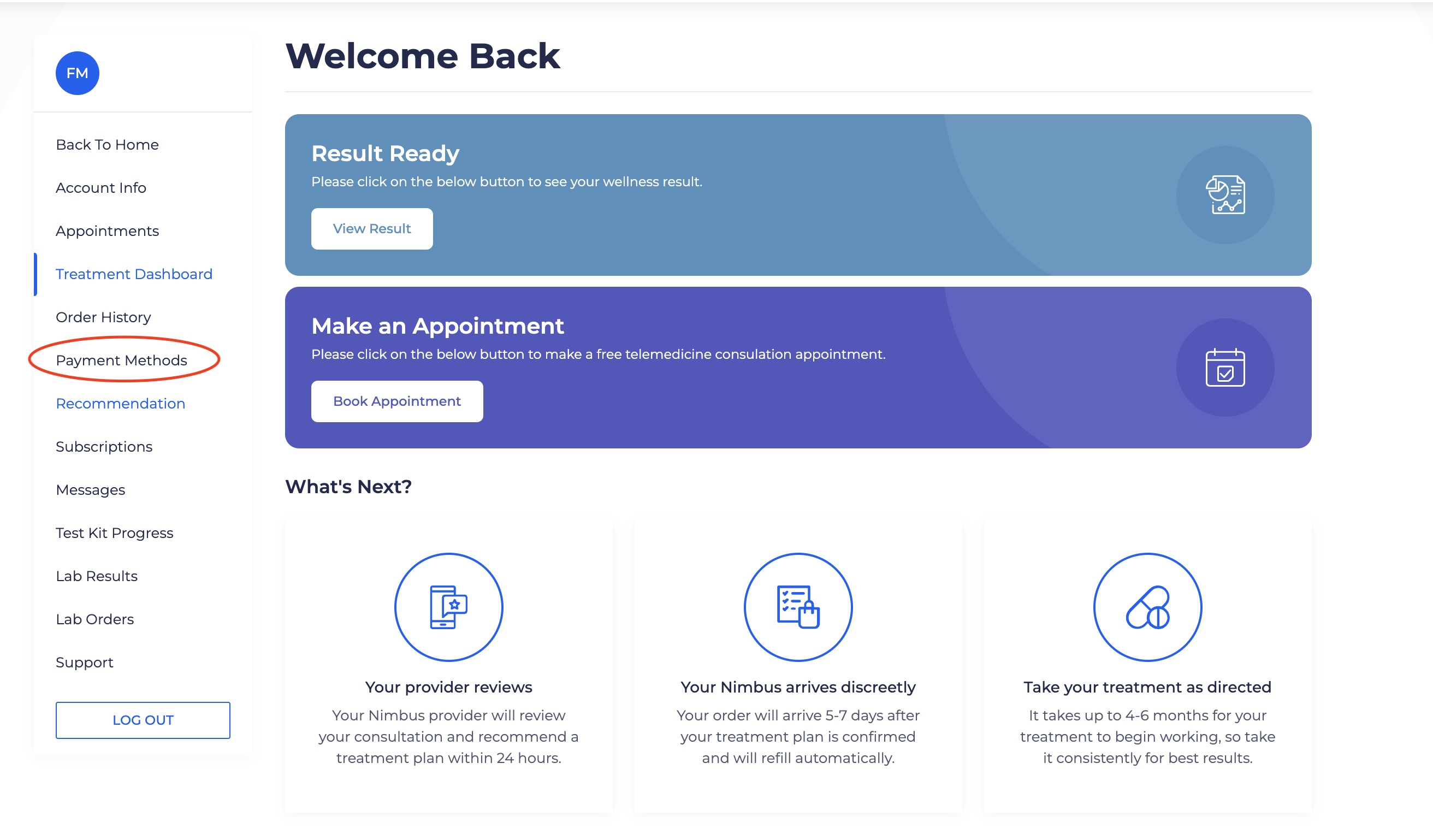
Step 2) Click on "payment methods" on the left side of your screen.
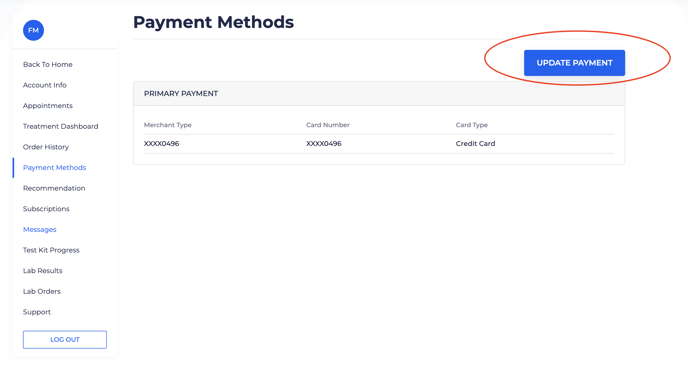
Step 3) Click on the "Update Payment" button.